 codehatch
Every coding session, one click away.
Every Claude Code and Codex session, from every terminal and editor, in one place. See what each one is doing, and jump straight to it.
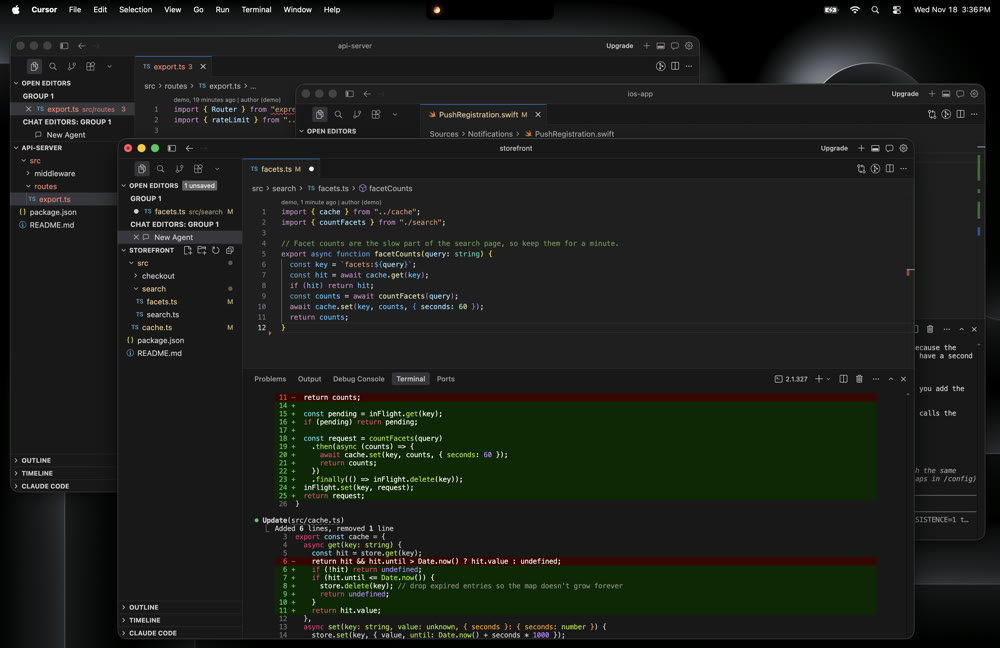
Three colours, in order of urgency
An orb beside the notch, in the colour of whatever’s most urgent.
Simple on purpose: one glance, nothing more to keep in your head.
- Needs youIt has stopped to ask for a permission or an answer.
- FinishedIt just stopped, and you have not been back to it yet.
- WorkingIt is in the middle of a turn.
A session with no orb is idle: open, with nothing happening.
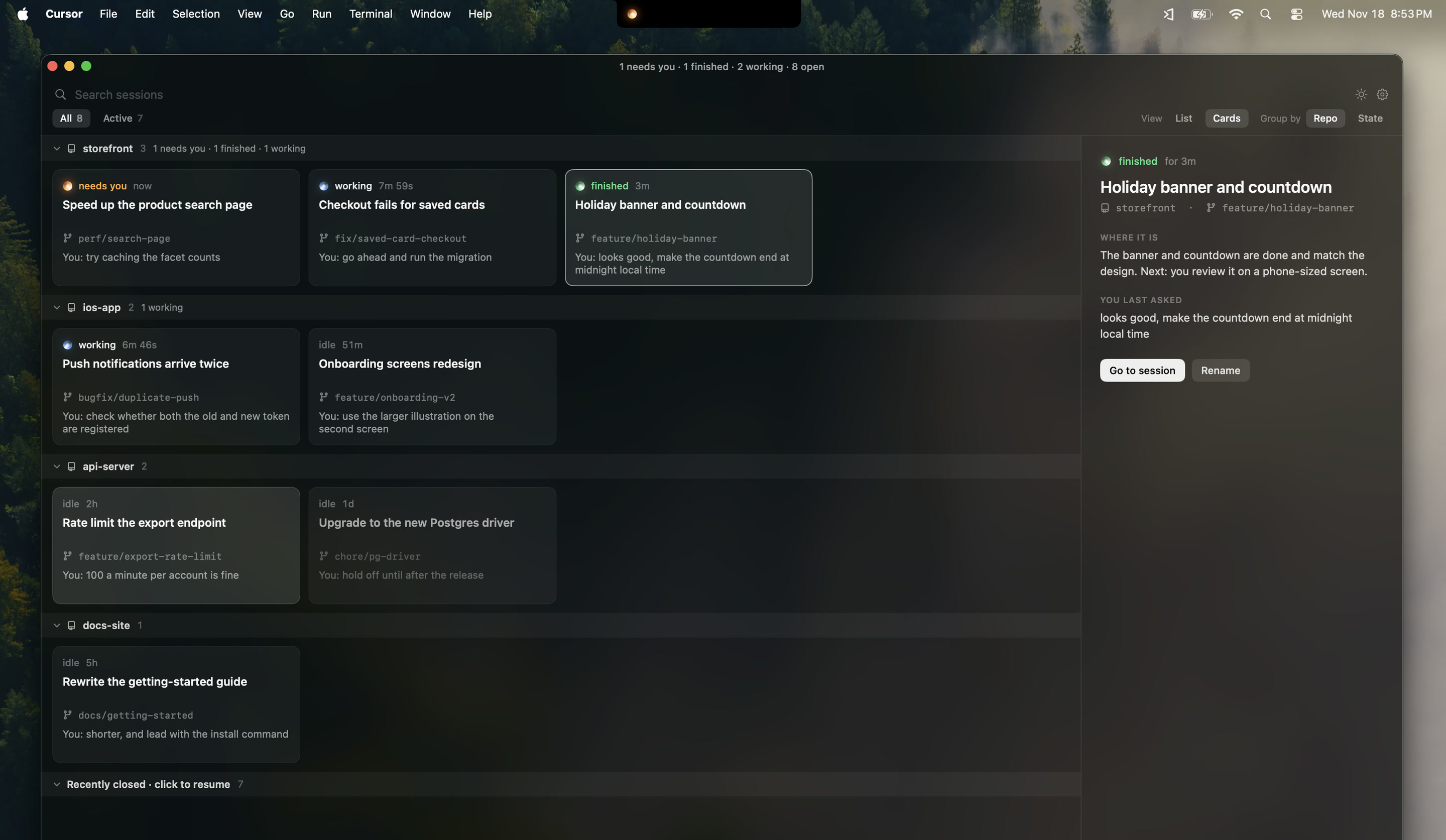
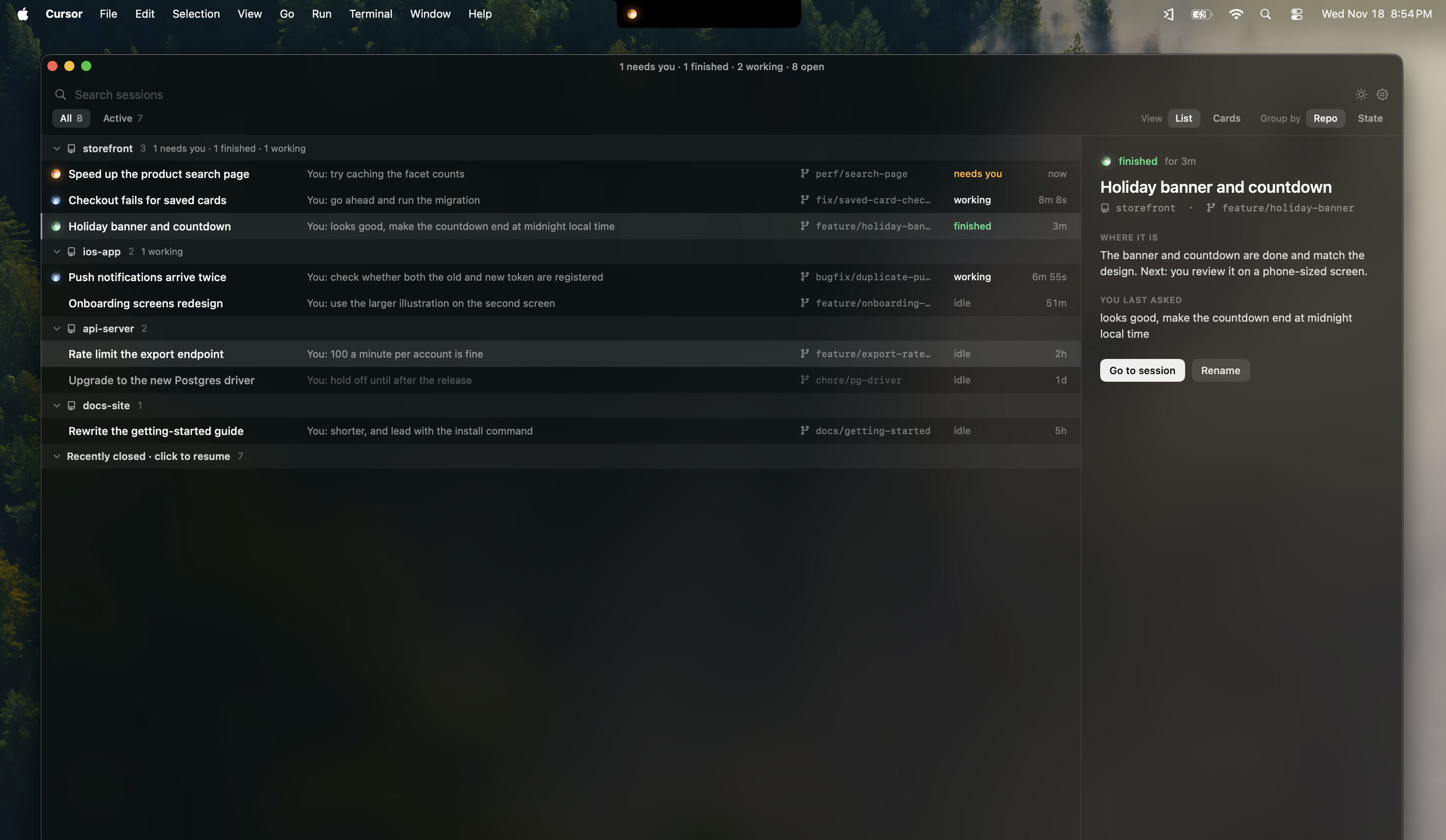
Park it on your second monitor.
Pop your sessions out into their own window and leave it open, as cards or as a list. One glance tells you which one needs you, without leaving your editor.
Where it works
With Claude Code and Codex, in the editor or the terminal you already use. Cursor and VS Code need a small extension; Terminal and iTerm2 need nothing. Every other editor and terminal still shows your sessions.
| Cursor and VS Code | Terminal and iTerm2 | Any other editor or terminal | |
|---|---|---|---|
| See every session: its state, branch and last message | |||
| Go to a session | Lands on its exact terminal tab | Lands on its exact tab | Brings the app to the front |
| Highlight the session you are in | – | ||
| Resume a closed session | In a new terminal tab, in the right project | In a new tab or window, in the right folder | In Cursor, VS Code, Terminal or iTerm2, whichever you choose |
| Close a session from the list |
Light enough to forget it is running.
Leave it open all day. It costs your Mac next to nothing.
- < 1% CPU
- while your sessions are working. Measured at about a third of one percent.
- 37 MB
- of memory. A single browser tab usually takes several times that.
- 3 MB
- to download. It opens the moment you launch it.
A native Mac app written in Swift, with no server and no AI model behind it. It only does work when a session changes.
I run a lot of coding agents at once, usually on one laptop screen, and I am always wandering off to something else while they work.
Finding the session I wanted meant digging through windows and terminal tabs. After a restart I had to bring every one of them back by hand.
So I made the thing I wanted. Open the panel, click a session, and you are on its tab. Close one, or restart, and it is still in the list, ready to resume where you left it.
I wanted it super simple. Switching between sessions is already a lot to hold in your head, and the thing that helps with it shouldn’t add to that.
that is all it does.
I make videos about building things like this. Watch on YouTube
Set it up the way you work.
How it opens, what each row shows, how the list is ordered, which repos stay hidden. It is all in settings.
Opening the panel
Order
What each session shows
Stay-on-screen window
It runs entirely on your Mac.
Claude Code and Codex keep a record of each session in your home folder. codehatch reads those files to show your sessions. There is no account, no server and no AI model behind it, and nothing about your work leaves your machine.
Setting it up adds two small pieces outside the app: hooks in Claude Code and Codex, so it knows the moment a session changes, and a helper extension in Cursor and VS Code, so it can land on the exact tab. Both are plain files you can read, and the privacy page says exactly what each one does.